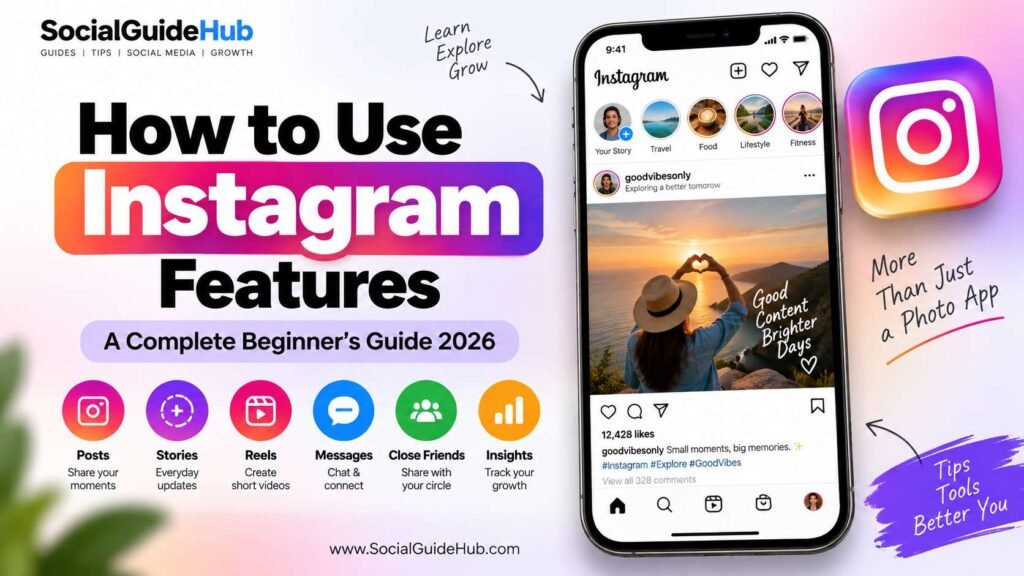
Instagram has evolved from a simple photo-sharing app into one of the world’s most powerful social media platforms. Today, millions of creators, businesses, influencers, and everyday users rely on Instagram to connect with audiences, build communities, and share content.
However, many users only use a small portion of Instagram’s capabilities. The platform includes a wide range of features designed to help users communicate, create engaging content, and grow their presence online.
In this guide, you’ll learn how to use the most important Instagram features and how each one can help improve your experience on the platform.
What Are Instagram Features?
Instagram features are tools and functions built into the platform that allow users to share content, interact with others, and manage their accounts more effectively.
These features include:
- Feed Posts
- Stories
- Reels
- Notes
- Direct Messages
- Broadcast Channels
- Close Friends
- Highlights
- Live Streaming
- Instagram Shopping
- Collaborative Posts
Understanding how these features work can help you get more value from Instagram, whether you’re using it personally or professionally.
Instagram Feed Posts
Feed posts are the traditional photos and videos that appear on your profile and in your followers’ feeds.
How to Create a Feed Post
- Open Instagram.
- Tap the “+” button.
- Select Post.
- Choose a photo or video.
- Add filters if desired.
- Write a caption.
- Add hashtags and location.
- Tap Share.
Best Practices for Feed Posts
- Use high-quality images.
- Write engaging captions.
- Include relevant hashtags.
- Maintain a consistent posting style.
- Post when your audience is most active.
Feed posts remain one of the best ways to build a professional-looking profile.
Instagram Stories
Stories are temporary posts that disappear after 24 hours unless saved to Highlights.
Stories can include:
- Photos
- Videos
- Polls
- Questions
- Quizzes
- Music
- Stickers
- GIFs
How to Create a Story
- Tap your profile picture.
- Select Story.
- Capture or upload content.
- Add text, stickers, or music.
- Share the story.
Stories are useful for sharing quick updates and interacting with followers.
Instagram Reels
Reels are short-form videos designed to increase reach and discoverability.
Many creators experience faster growth through Reels because Instagram actively promotes them in the Explore section.
How to Create a Reel
- Tap the “+” icon.
- Select Reel.
- Record a video or upload clips.
- Add music and effects.
- Write a caption.
- Publish the Reel.
Why Reels Matter
- Higher reach potential
- Increased visibility
- Better engagement
- Opportunity to gain new followers
For many accounts, Reels generate more impressions than traditional posts.
Instagram Notes
Instagram Notes allow users to post short text updates that appear above Direct Messages.
These updates are visible for 24 hours.
How to Add a Note
- Open Instagram messages.
- Tap your profile image above chats.
- Select Leave a Note.
- Write a short message.
- Share it with followers or Close Friends.
Notes are ideal for quick thoughts, updates, and conversations.
Direct Messages (DMs)
Instagram DMs allow private communication between users.
With DMs, you can:
- Send messages
- Share posts
- Share Reels
- Send voice notes
- Create group chats
- Start video calls
Direct messaging plays an important role in community building and networking.
Instagram Highlights
Highlights allow you to save Stories permanently on your profile.
How to Create Highlights
- Open your profile.
- Tap New Highlight.
- Select previous Stories.
- Choose a title and cover image.
- Save the Highlight.
Highlights help organize important content and improve profile appearance.
Close Friends Feature
The Close Friends feature allows you to share content with a selected group of people.
This is useful for:
- Exclusive content
- Private updates
- VIP communities
- Personal sharing
Only people added to your Close Friends list can see these Stories.
Instagram Explore Page
The Explore page helps users discover new content based on their interests.
Instagram’s algorithm analyzes:
- Content interactions
- Watch history
- Search activity
- Engagement patterns
Appearing on Explore can significantly increase account visibility.
Why Learning Instagram Features Matters
Understanding Instagram features can help users:
- Increase engagement
- Reach more people
- Build stronger communities
- Improve content performance
- Grow personal or business brands
As Instagram continues to introduce new tools, users who learn and adapt often gain better results than those who rely only on basic posting.
In the next section, we’ll explore advanced Instagram features such as Broadcast Channels, Collaborative Posts, Instagram Live, Shopping Features, and professional creator tools.
Instagram Broadcast Channels
Instagram Broadcast Channels allow creators, brands, and public figures to send one-to-many updates directly to their followers.
Unlike regular group chats, followers can receive updates without creating a cluttered conversation.
How to Create a Broadcast Channel
- Open Instagram.
- Go to your inbox.
- Tap the compose icon.
- Select Create Broadcast Channel.
- Enter a channel name.
- Set audience preferences.
- Publish your first update.
Benefits of Broadcast Channels
- Share announcements instantly
- Promote new content
- Increase engagement
- Build stronger communities
- Communicate directly with followers
Many creators use Broadcast Channels to notify followers about new Reels, videos, products, and events.
Instagram Collaborative Posts
The Collaboration feature allows two accounts to share a single post or Reel.
When a collaboration request is accepted:
- The content appears on both profiles.
- Likes and comments are shared.
- Reach can increase significantly.
How to Create a Collaborative Post
- Create a post or Reel.
- Go to the tagging section.
- Tap Invite Collaborator.
- Select the account.
- Publish the content.
This feature is especially useful for creators, brands, influencers, and business partnerships.
Instagram Live
Instagram Live allows users to broadcast video in real time.
Common Uses of Instagram Live
- Q&A sessions
- Product launches
- Tutorials
- Interviews
- Community interaction
- Event coverage
How to Start a Live
- Swipe right from the Instagram home screen.
- Select Live.
- Add a title if needed.
- Tap the Live button.
Live videos often generate higher engagement because followers receive notifications when the stream starts.
Instagram Shopping
Instagram Shopping helps businesses showcase products directly within the platform.
Users can:
- View products
- Browse collections
- Visit product pages
- Purchase items through linked stores
Benefits for Businesses
- Increased product visibility
- Better customer experience
- Higher conversion opportunities
- Simplified shopping journey
For e-commerce brands, Instagram Shopping can become a powerful sales channel.
Instagram Professional Dashboard
Professional accounts gain access to additional tools and analytics.
Features Available
- Account insights
- Audience analytics
- Content performance reports
- Monetization tools
- Professional resources
How to Access
- Open your profile.
- Tap the menu icon.
- Select Professional Dashboard.
Regularly reviewing analytics can help identify what content performs best.
Instagram Insights
Insights provide valuable data about audience behavior.
Metrics You Can Track
- Reach
- Impressions
- Engagement
- Profile visits
- Website clicks
- Follower growth
Understanding these metrics helps creators make better content decisions.
Instagram Threads Integration
Instagram is closely connected with Threads.
Users can:
- Share profiles between platforms
- Follow existing Instagram audiences
- Cross-promote content
- Expand reach
For creators building a personal brand, Threads offers another channel for audience engagement.
Instagram Algorithm Basics
Many users wonder how Instagram decides which content appears first.
The algorithm considers several factors:
Engagement
Posts receiving likes, comments, saves, and shares often perform better.
Relevance
Instagram shows content based on user interests and activity.
Relationships
Users are more likely to see content from accounts they interact with frequently.
Content Quality
Original and engaging content generally performs better than repetitive or low-quality posts.
Tips for Using Instagram Features Effectively
Use Multiple Content Formats
Do not rely on only one feature.
Combine:
- Reels
- Stories
- Feed Posts
- Notes
- Broadcast Channels
This increases visibility across different areas of the platform.
Maintain Consistency
Regular posting helps maintain audience engagement.
Encourage Interaction
Ask questions, create polls, and respond to comments.
Analyze Performance
Use Insights to understand what works and what needs improvement.
Stay Updated
Instagram frequently introduces new features and updates. Staying informed can provide a competitive advantage.
Common Mistakes to Avoid
Ignoring Stories
Stories are one of the easiest ways to stay connected with followers.
Posting Without Strategy
Random posting often leads to inconsistent results.
Using Too Many Hashtags
Focus on relevant hashtags rather than excessive tagging.
Neglecting Analytics
Data helps improve future content decisions.
Copying Trends Without Adaptation
Successful creators adapt trends to fit their audience and niche.
The Future of Instagram Features
Instagram continues to invest heavily in:
- Artificial intelligence
- Creator tools
- Video content
- Community features
- Monetization opportunities
Future updates are expected to provide even more ways for creators and businesses to connect with audiences.
Users who understand and adopt new features early often gain an advantage as the platform evolves.
Conclusion
Instagram is much more than a photo-sharing app. Features such as Reels, Stories, Notes, Broadcast Channels, Live streaming, Insights, Shopping, and Collaborative Posts give users powerful tools for communication, growth, and engagement.
Whether you are a casual user, content creator, influencer, or business owner, learning how to use Instagram features effectively can help you build a stronger presence and achieve your goals on the platform.
The key is to experiment with different features, monitor performance, and stay consistent. As Instagram continues to evolve, users who embrace new tools and strategies will be best positioned for long-term success.
Frequently Asked Questions
What is the most important Instagram feature for growth?
Reels are currently one of the strongest features for increasing reach and attracting new followers.
Are Instagram Notes visible to everyone?
No. Notes are typically visible only to followers you follow back or people in your Close Friends list.
Can I use Instagram Insights with a personal account?
No. Insights are available only for Professional accounts.
What are Broadcast Channels used for?
Broadcast Channels allow creators and brands to send updates directly to followers in a one-to-many format.
Do Instagram Stories help engagement?
Yes. Stories encourage interaction through polls, questions, quizzes, stickers, and direct responses.


Pingback: Instagram DM: How to DM on Instagram in 2026
Pingback: How to Collaborate on Instagram (2026 Guide)