Introduction
For years, many people have predicted Facebook’s decline. Yet in 2026, Facebook remains one of the most influential digital platforms in the world. It is no longer just a place to connect with friends and family. Today, Facebook combines social networking, video discovery, online communities, e-commerce, messaging, content creation, and business marketing into a single ecosystem.
The challenge is that most users never unlock Facebook’s full potential.
Many people scroll through their feed, react to a few posts, and move on. Meanwhile, experienced users take advantage of advanced features that help them discover better content, protect their privacy, grow their audience, build communities, and even generate income.
Whether you are a casual user, content creator, entrepreneur, marketer, or small business owner, understanding how Facebook works in 2026 can dramatically improve your experience.
This guide explores the best Facebook tips, practical strategies, hidden features, and expert recommendations that can help you use the platform more effectively.
What Is Facebook?
Facebook is a social media platform owned by Meta that allows users to connect, communicate, share content, join communities, and discover information online.
Over the years, Facebook has expanded far beyond its original purpose.
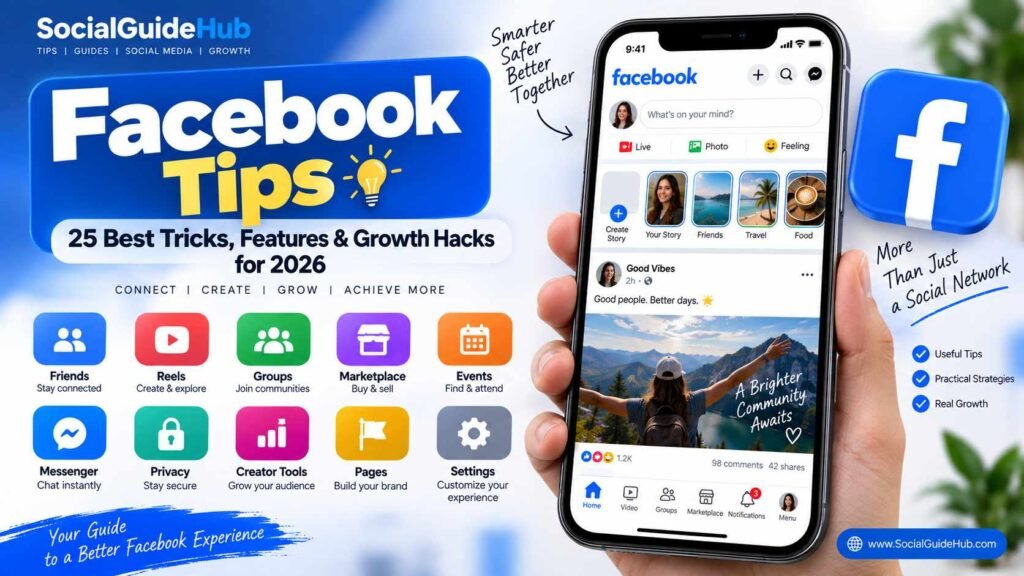
Today’s Facebook ecosystem includes:
- Personal Profiles
- Facebook Pages
- Facebook Groups
- Facebook Reels
- Facebook Stories
- Messenger
- Marketplace
- Events
- Professional Mode
- Creator Tools
- Business Advertising
- AI-Powered Recommendations
Unlike many social platforms that focus on a single content format, Facebook combines multiple digital experiences into one platform.
How to Use Instagram Features: A Complete Beginner’s Guide
Why Facebook Matters in 2026
Many people assume younger audiences only use newer platforms such as TikTok or Instagram.
However, Facebook continues to play a major role in digital communication and online discovery.
Massive User Base
Facebook still connects billions of users worldwide, making it one of the largest online communities ever created.
Powerful Community Features
Facebook Groups remain one of the strongest community-building tools available on any social platform.
Business Opportunities
Small businesses continue to use Facebook Pages, Groups, Marketplace, and advertising tools to reach customers.
Content Discovery
Facebook’s recommendation systems have become increasingly sophisticated, helping users discover relevant content even from accounts they do not follow.
Creator Monetization
Facebook offers monetization opportunities through creator tools, subscriptions, bonuses, and advertising programs.
For many users, Facebook is no longer just a social network—it is an information hub, marketplace, and business platform.
Key Facebook Features Every User Should Know
Facebook Feed
The Feed is the main area where users discover content.
It includes:
- Friend updates
- Reels
- Videos
- Group discussions
- Recommended content
- Business posts
Facebook Reels
Short-form video content has become a major part of Facebook.
Reels are now one of the fastest ways to increase visibility and reach new audiences.
Facebook Stories
Stories allow users to share temporary content that disappears after 24 hours.
Facebook Groups
Groups provide spaces for discussions, networking, support, education, and community building.
Facebook Marketplace
Marketplace enables users to buy and sell products locally.
Messenger
Messenger supports:
- Text messaging
- Voice messages
- Video calls
- Group chats
- File sharing
Professional Mode
Professional Mode transforms a personal profile into a creator-focused account with analytics and growth tools.
Benefits of Using Facebook Effectively
| Benefit | Why It Matters |
|---|---|
| Better Connections | Stay connected with friends, family, and communities |
| Business Growth | Reach customers and generate leads |
| Learning Opportunities | Join educational groups and communities |
| Audience Building | Grow a personal brand or creator presence |
| Product Sales | Use Marketplace and Pages to sell products |
| Networking | Connect with industry professionals |
| Content Discovery | Find valuable information and trends |
Using Facebook strategically can create both personal and professional advantages.
Step-by-Step Guide to Improving Your Facebook Experience
Step 1: Optimize Your Profile
Your profile is often the first impression people receive.
Make sure your profile includes:
- Clear profile picture
- Professional cover image
- Updated bio
- Current location
- Website links
- Relevant personal information
A complete profile improves credibility.
Step 2: Review Privacy Settings
Many users ignore Facebook privacy controls.
Take time to review:
- Profile visibility
- Friend lists
- Tagging permissions
- Public information
- Story visibility
A secure account starts with proper privacy settings.
Step 3: Customize Your Feed
Facebook learns from user behavior.
To improve recommendations:
- Follow quality Pages
- Join relevant Groups
- Save useful posts
- Hide unwanted content
- Use Favorites
The more intentional your interactions become, the better your feed experience will be.
Step 4: Start Using Reels
Facebook actively promotes short-form videos.
If you want more reach:
- Create educational content
- Share tutorials
- Post behind-the-scenes clips
- Use captions
- Keep videos engaging
Reels often outperform traditional posts in terms of visibility.
Step 5: Join Relevant Groups
Groups remain one of Facebook’s most valuable features.
Look for communities related to:
- Business
- Technology
- Hobbies
- Education
- Local interests
Groups provide opportunities to learn, network, and share expertise.
Best Facebook Tips for Everyday Users
Use Favorites
Add important people and Pages to your Favorites list.
This helps ensure you see their content more frequently.
Save Useful Content
Instead of trying to remember valuable posts, save them.
You can organize saved content into collections for easier access later.
Turn On Notifications Selectively
Avoid notification overload.
Only enable alerts for:
- Important Groups
- Favorite Pages
- Close friends
- Business opportunities
Use Messenger Features
Messenger offers more than basic messaging.
Features include:
- Voice notes
- HD video calls
- Polls
- Group chats
- File sharing
Clean Up Your Friends List
Removing inactive or irrelevant connections can improve your overall Facebook experience.
Common Facebook Mistakes to Avoid
Posting Without Purpose
Random posting often leads to weak engagement.
Think about the value your content provides.
Ignoring Privacy Settings
Failing to manage privacy settings can expose personal information unnecessarily.
Joining Too Many Groups
Too many groups create information overload.
Focus on quality over quantity.
Chasing Viral Content
Virality is unpredictable.
Consistency and value are more reliable growth strategies.
Neglecting Security
Always use:
- Strong passwords
- Two-factor authentication
- Login alerts
Account security should never be an afterthought.
Advanced Facebook Tips and Strategies
Use Professional Mode
Professional Mode provides:
- Audience insights
- Analytics
- Monetization options
- Performance tracking
Even personal brands can benefit from Professional Mode.
Create High-Value Reels
Successful Reels typically:
- Start with a strong hook
- Deliver value quickly
- Maintain viewer attention
- Include captions
Build a Community
Instead of focusing only on followers, focus on community.
Respond to:
- Comments
- Messages
- Questions
- Group discussions
Community often drives long-term growth.
Analyze Performance Data
Review metrics regularly:
- Reach
- Engagement
- Watch time
- Shares
- Profile visits
Data reveals what actually works.
Use Facebook Events
Events remain effective for:
- Local promotions
- Webinars
- Workshops
- Product launches
- Community gatherings
Latest Facebook Features and Updates
Facebook continues investing heavily in:
AI-Powered Recommendations
The platform increasingly uses artificial intelligence to improve content discovery.
Enhanced Video Experiences
Video content continues receiving major platform support.
Creator Tools
Meta continues expanding tools that help creators grow audiences and monetize content.
Improved Messaging
Messenger now supports more collaboration and communication features.
Better Community Management
Group administrators have access to improved moderation and management tools.
Real-World Examples
Example 1: Local Business Growth
A small coffee shop creates:
- Reels showing drink preparation
- Local community posts
- Event promotions
Result:
- Increased visibility
- More local customers
- Better brand awareness
Example 2: Content Creator
A creator consistently posts:
- Educational Reels
- Helpful tips
- Community discussions
Result:
- Audience growth
- Increased engagement
- Monetization opportunities
Example 3: Industry Professional
A marketing consultant joins niche Groups and shares valuable insights.
Result:
- New client opportunities
- Professional networking
- Stronger authority
Expert Recommendations
If you want long-term success on Facebook:
Focus on Value
Helpful content consistently outperforms self-promotion.
Build Relationships
Social media is still about people.
Meaningful interactions matter.
Stay Consistent
Small actions performed consistently often outperform occasional bursts of activity.
Experiment Frequently
Test:
- Reels
- Stories
- Posts
- Groups
- Live videos
Different audiences respond differently.
Learn From Analytics
Data should guide decisions rather than assumptions.
Future Trends for Facebook
Several trends are likely to shape Facebook’s future:
More AI Integration
Artificial intelligence will continue influencing recommendations, content creation, and discovery.
Increased Video Consumption
Video remains one of the fastest-growing content formats.
Stronger Creator Economy
More monetization opportunities are expected for creators.
Community-Centered Experiences
Groups and communities will likely become even more important.
Personalized User Experiences
Algorithms will continue improving content relevance and personalization.
Users who adapt to these changes early often gain significant advantages.
Frequently Asked Questions (FAQ)
Is Facebook still worth using in 2026?
Yes. Facebook remains one of the largest social platforms and offers valuable tools for communication, business, community building, and content discovery.
What is the best way to grow on Facebook?
Consistently creating valuable content, engaging with your audience, and using Reels effectively are among the strongest growth strategies.
Are Facebook Groups still effective?
Absolutely. Groups remain one of Facebook’s most powerful features for building communities and meaningful engagement.
What is Professional Mode?
Professional Mode provides creators with analytics, growth tools, audience insights, and monetization opportunities.
How can I improve my Facebook privacy?
Review privacy settings regularly, enable two-factor authentication, and carefully manage profile visibility.
Are Reels important on Facebook?
Yes. Reels are currently one of the most effective ways to increase reach and discoverability.
Conclusion
Facebook in 2026 is far more than a social networking platform. It has evolved into a complete digital ecosystem that supports communication, content creation, business growth, community building, and online discovery.
The users who get the most value from Facebook are not necessarily the ones who spend the most time on the platform. They are the ones who understand its features, use them strategically, and focus on meaningful engagement.
Whether your goal is to connect with people, grow a business, build a personal brand, or discover new opportunities, these Facebook tips can help you navigate the platform more effectively and make the most of everything Facebook has to offer.